 Message Cleaner
MessageCleaner
Years of old chats, gone in minutes.
Protect what matters. Clear the rest.
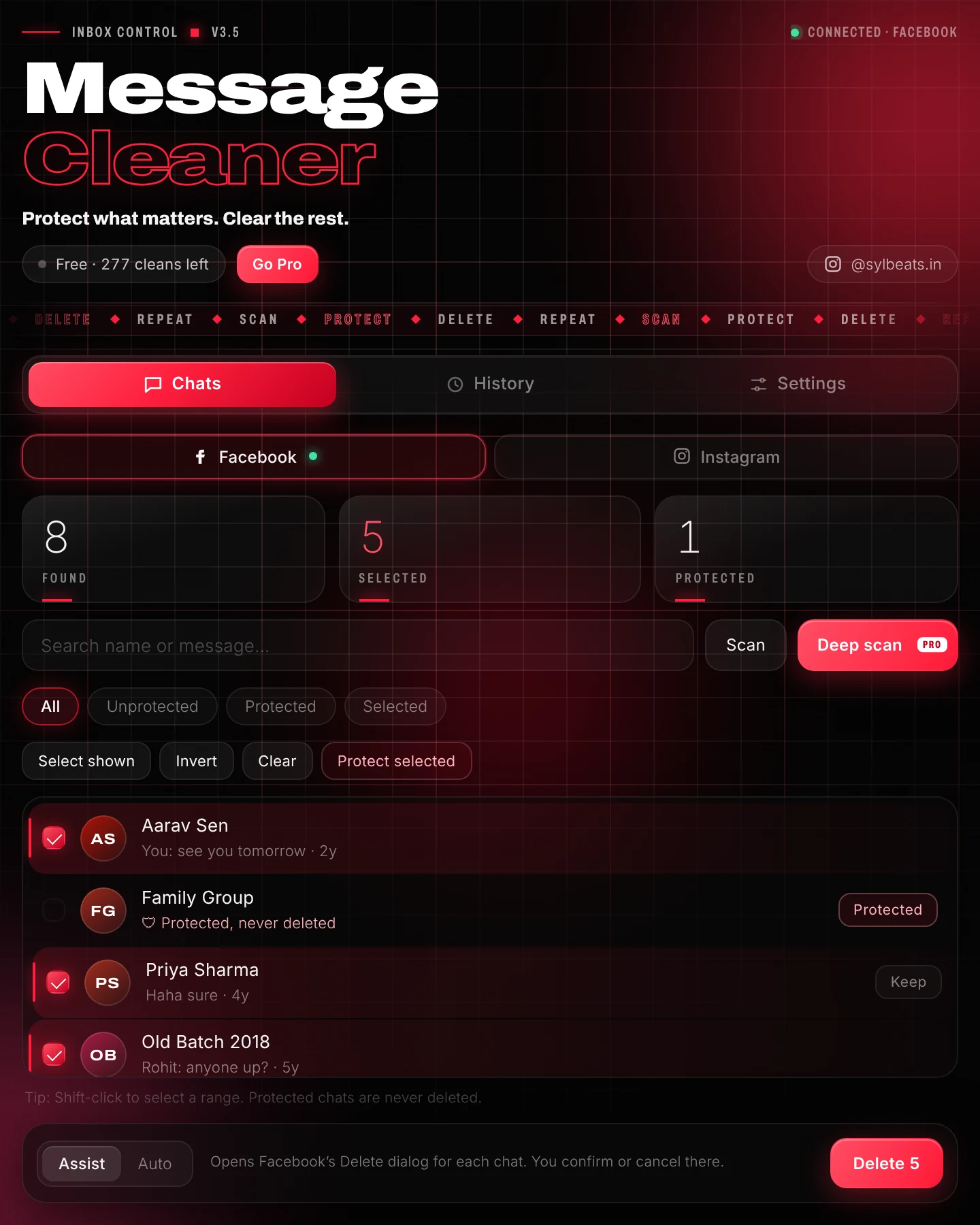
Message Cleaner scans your Facebook or Instagram chat list, lets you lock the conversations you want to keep, and deletes the rest for you, one by one, safely, right in your browser.
300 free cleans · No sign-up · Your chats never leave your browser
Three steps. Zero hassle.
Scan
Open your Facebook Messages or Instagram inbox and press Scan. Every chat in your list appears in the side panel, with names and the last message.
Protect
Tap “Keep” on family, friends and work chats. Protected chats are never deleted, not even by accident.
Clear
Select the rest and press Delete. Watch the progress live, and stop any time.
Built to be fast and safe.
Protected chats
A permanent keep-list that every delete run respects, with bulk protect, unprotect and undo.
Assist or Auto
Confirm each deletion yourself, or let Auto mode do it hands-free with a pause between chats.
Deep scan
Scrolls your whole chat list for you, so even chats from years ago show up. Pro
Live progress
Every chat is logged as deleted, cancelled or skipped, with a history you can look back on.
Private by design
Your chats are read only on your screen. Nothing about your conversations is ever uploaded.
Search & filters
Find chats by name or message, filter by protected or selected, and shift-click to select ranges.
Start free. Go Pro once.
No subscriptions. Pay once and keep Pro forever.
- 300 cleans
- Assist and Auto mode while your free cleans last
- Protected chats, search and filters
- Up to 50 chats per run
- Unlimited cleans
- Deep scan, your whole inbox
- Unlimited Auto mode with speed control
- Export history and protected list
- Works on up to 3 of your browsers
Good to know.
Does it delete chats for the other person too?
No. Message Cleaner removes conversations from your own inbox only, exactly like deleting them yourself. The other people keep their copy.
Can I undo a deletion?
No, deleted chats can't be restored. That's why protected chats exist, and why Assist mode lets you confirm each one.
Is it safe for my account?
It clicks the same Delete buttons you would. Deleting hundreds of chats very quickly can make Facebook or Instagram pause the feature for a while, so the extension works in batches with pauses between chats.
Does it work with Instagram?
Yes. Open instagram.com/direct/inbox on your computer and the panel switches to Instagram. Facebook and Instagram keep separate protected lists, and your free cleans and Pro key cover both.
Do you see my messages?
No. Chat names and previews are read in your browser only to show your list. They are never sent to us. See the privacy policy.